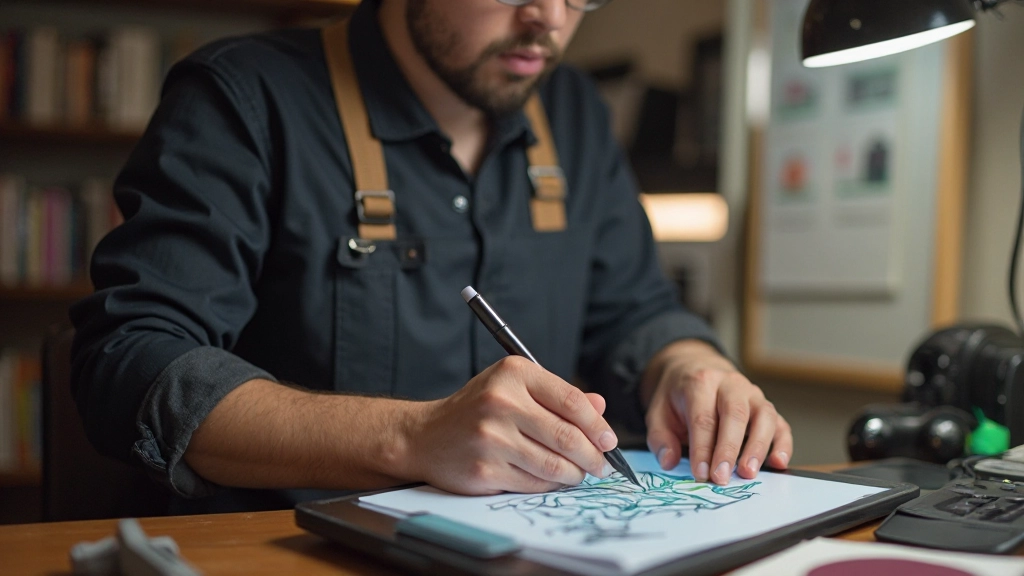
AI-Powered Design Tools Reshaping Creative Workflows
Discover how artificial intelligence is transforming design processes and enabling creators to work faster while maintaining artistic vision and control.

The Evolution of Design Technology
The design landscape has undergone a remarkable transformation over the past few years. What once required hours of manual work—from color selection to layout optimization—can now be assisted by intelligent systems that understand design principles and user preferences. These AI-powered tools aren't replacing designers; they're augmenting their capabilities, allowing creative professionals to focus on conceptualization and refinement rather than repetitive tasks.
This shift represents a fundamental change in how creative teams approach their work. By automating certain aspects of the design process, teams can iterate faster, explore more variations, and ultimately deliver higher-quality results to their clients.

What AI Design Tools Can Do
Modern AI design systems handle a broad range of creative tasks with surprising sophistication
Color and Style Generation
AI algorithms analyze brand guidelines and project context to suggest harmonious color palettes and visual styles that maintain consistency across designs.
Asset Generation and Editing
Create and modify visual elements instantly—from backgrounds to UI components—without requiring extensive manual creation or external resources.
Layout Optimization
Intelligent spacing, alignment, and composition suggestions help designers create balanced layouts that follow design principles and accessibility standards.
Content Generation
From mockup text to design descriptions, AI helps generate relevant placeholder content that communicates design intent clearly.
Quality Assurance
Automated checks for contrast ratios, accessibility compliance, and design consistency help ensure professional standards without manual review.
Performance Optimization
Intelligent file optimization and asset compression ensure designs load quickly while maintaining visual quality across different devices and networks.

Real-World Impact on Creative Teams
Teams implementing AI design tools report significant improvements in their workflows. The most tangible benefit is time savings—designers report spending 30-40% less time on repetitive tasks, freeing them to focus on strategy and creative direction. This shift in focus elevates the entire design process.
Beyond efficiency, these tools enable designers to explore more creative directions. When generating variations becomes faster, designers can test multiple approaches before settling on a direction, leading to better final outcomes. The tools serve as creative partners, suggesting solutions the designer might not have considered initially.
Key Insight: The most successful implementations treat AI as an assistant that amplifies designer expertise, not as a replacement for human creativity and decision-making.
Client satisfaction has also improved. Faster turnarounds mean projects complete on schedule or early. Better exploration means higher-quality final deliverables. Teams can present more options to stakeholders, giving clients a genuine choice in the design direction rather than a single proposal.
Implementing AI Tools in Your Workflow
A practical approach to integrating these technologies into existing creative processes
Assess Your Needs
Identify which parts of your design process would benefit most from AI assistance. Look for repetitive tasks, bottlenecks, or areas where faster iteration would provide value.
Start Small and Experiment
Choose one tool to pilot with a smaller project. This allows your team to learn the system without high stakes and to understand how it fits into your existing workflow.
Train Your Team
Invest time in training designers on the new tool. Understanding how to prompt the AI effectively and when to use automation versus manual work is crucial for success.
Refine Your Process
Based on pilot results, adjust your workflow. Establish guidelines for which tasks use AI assistance and which require human expertise to maintain quality and creative control.
Scale and Optimize
Once comfortable with the tool, expand its use across projects and team members. Continuously look for new ways to leverage AI while maintaining your design standards.
Important Considerations
While AI design tools offer tremendous benefits, there are important considerations to keep in mind. Quality control remains essential—AI outputs should always be reviewed and refined by experienced designers. The tools work best when used to enhance human creativity, not replace it.
Data privacy and security are also critical. Ensure your organization understands how AI tools handle proprietary designs and client information. Many tools offer on-premise or private cloud options for sensitive work.
"The most successful design teams view AI as a tool that extends human capability, not a replacement for the judgment and creativity that experienced designers bring to their work."
— Design Industry ExpertFinally, stay informed about the evolving landscape. AI design tools are improving rapidly, with new capabilities emerging regularly. What's possible today will seem limited in a year or two, so maintaining curiosity and flexibility is important for staying competitive.

The Future of Design is Collaborative
AI-powered design tools represent a significant shift in how creative work gets done. They're not a threat to designers but rather a tool that can elevate the entire profession. By handling routine tasks and suggesting alternatives, these systems free designers to focus on what they do best: solving problems creatively and making strategic decisions about visual communication.
The organizations that will thrive in this new landscape are those that embrace these tools thoughtfully, combining AI capabilities with human expertise and judgment. The future of design isn't about AI replacing designers—it's about designers and AI working together to create better solutions faster.
Whether you're a solo designer or lead a large creative team, exploring how AI design tools can enhance your workflow is worth the investment. Start small, experiment, learn from your team's feedback, and gradually expand how you use these tools. The designers who master this collaboration between human creativity and artificial intelligence will be the ones setting industry standards.
Ready to Explore Creative Innovation?
Discover more resources about modern design tools and creative workflows.
Explore More ResourcesDisclaimer
This article provides educational information about AI design tools and their applications in creative workflows. The information presented is for informational purposes and should not be considered as professional advice. Different tools have different capabilities, pricing models, and use cases. We recommend evaluating tools based on your specific needs, budget, and workflow requirements. Always review tool documentation and terms of service to understand data handling practices and licensing restrictions. The technology landscape changes rapidly, and tool capabilities may vary from what's described here. Your specific results will depend on your team's expertise, the tool's capabilities, and how you integrate it into your workflow.